

Introduction to AVR Development
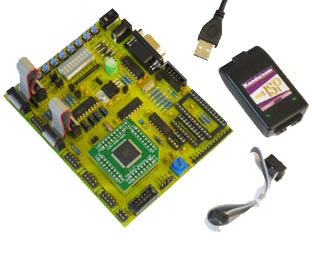
Kanda supply a range of AVR development and training kits, AVR programmers and emulators for learning about AVR programming and developing projects using the AVR microcontroller. There are various options depending on your budget and experience, and this guide helps you choose the right AVR development kit for you.
Kanda AVR development kits are all based on AVRStudo development environment, which is the PC software
for writing code in assembly language or C and compiling it. It also includes a simulator for basic
testing of your code.
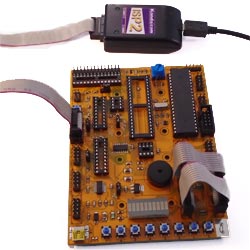
Once the code is written, it needs to be programmed into the target AVR, either to run it or debug it further using an emulator or ICE (to step through code on target). AVR development is much easier if you have known hardware, so our kits include an AVR board with sockets and peripherals such as LEDs, switches and serial port.
Choice of AVR Board
The two AVR boards are
Once you have selected your basic AVR board, STK200 or STK300, then your next choice is programmer or emulator or both.
There are basically 3 hardware choices for AVR programming and debugging, depending on the target AVR microcontroller and your budget:
USB AVR ISP, AVR JTAGICE and AVR DRAGON are available separately if you already have a board, see links at bottom of page.
All the kits include AVRStudio, C compiler, sample code, schematics, instructions and books on CD to get you up and running with AVR development. So, whatever your choice of AVR board and ISP or ICE, you have all the information you need to get going with AVR microcontrollers.
We can supply other AVR microcontrollers if requested. Please contact sales
Once the code is written, it needs to be programmed into the target AVR, either to run it or debug it further using an emulator or ICE (to step through code on target). AVR development is much easier if you have known hardware, so our kits include an AVR board with sockets and peripherals such as LEDs, switches and serial port.
Choice of AVR Board
The two AVR boards are
- STK200: AVR Board for 8, 20, 28 and 40-pin AVR microcontrollers
- STK300: AVR Board for 64-pin mounted AVR microcontrollers
Once you have selected your basic AVR board, STK200 or STK300, then your next choice is programmer or emulator or both.
Which AVR Programmer or Emulator Do You Need?
There are basically 3 hardware choices for AVR programming and debugging, depending on the target AVR microcontroller and your budget:
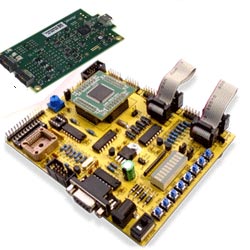
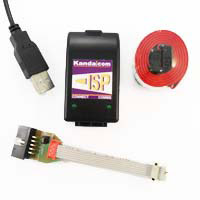
- AVRISP: USB In system programmer (ISP) with its own software (but linked to AVRStudio when required)
for programming all AVR microcontrollers. Debugging is on AVRStudio Simulator.
- AVR JTAGICE: In Circuit Emulator using JTAG Port, runs from AVRStudio software,
with limited device support
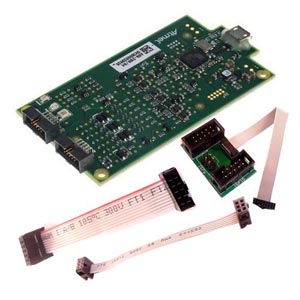
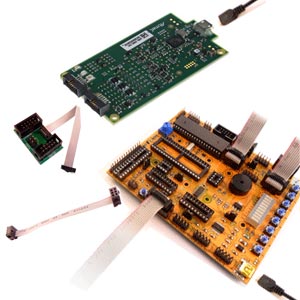
- AVR DRAGON: ISP and Emulator in one package. It is a bare board, but Kanda supply all leads and adpters required. Runs from AVRStudio and has ISP, JTAG and DebugWire (for emulating smaller AVR devices)
USB AVR ISP, AVR JTAGICE and AVR DRAGON are available separately if you already have a board, see links at bottom of page.
So which AVR Development kit should you choose?
All the kits include AVRStudio, C compiler, sample code, schematics, instructions and books on CD to get you up and running with AVR development. So, whatever your choice of AVR board and ISP or ICE, you have all the information you need to get going with AVR microcontrollers.
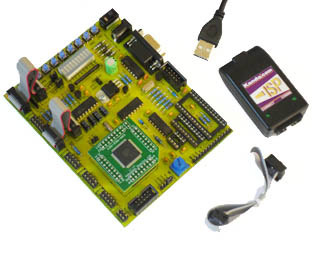
- SK200 and STK300:
Basic low cost kits with USB AVR ISP programmer. Debug via Simulator
- STK200ICE and STK300ICE:
Includes USB AVR ISP programmer and USB AVR JTAG ICE. Limited number of devices can be used with emulator
but it also includes AVR ISP, so you can program all devices without using AVR Studio
- STK200-DRAGON and STK300-DRAGON : Includes AVR DRAGON which is an ISP and Emulator for nearly all AVR devices. It can only run from AVRStudio
Details of each AVR Development kit
| STK200 | STK200ICE | STK200 DRAGON | STK300 | STK300ICE | STK300 DRAGON | |
|---|---|---|---|---|---|---|
| AVR Board | STK200 | STK200 | STK200 | STK300 | STK300 | STK300 |
| Programmer | AVRISP-U | AVRISP-U | AVR DRAGON | AVRISP-U | AVRISP-U | AVR DRAGON |
| Emulator | None | JTAG ICE | AVR DRAGON | None | JTAG ICE | AVR DRAGON |
| AVR Included | ATmega8515 | ATmega16 | ATmega16 | ATmega128 | ATmega128 | ATmega128 |
| ISP Support | All AVR except 90S | All AVR except 90S | All AVR except 90S | All AVR except 90S | All AVR except 90S | All AVR except 90S |
| ICE Support | None | (1)JTAG ICE support | All AVR with DebugWire or JTAG | None | (1)JTAG ICE support | All AVR with DebugWire or JTAG |
| Socket Support | 8, 20, 28 and 40-pin AVR | 8, 20, 28 and 40-pin AVR | 8, 20, 28 and 40-pin AVR | 64-pin AVR | 64-pin AVR | 64-pin AVR |
We can supply other AVR microcontrollers if requested. Please contact sales
STK200 AVR Development Kits:
for 8, 20, 28 and 40 PIN AVR Microcontrollers| STK200 AVR Kit | STK200 AVR Kit+ JTAGICE | STK200 AVR Board + AVR Dragon |
![]() STK200 |
![]() STK200ICE |
![]() STK200-DRAGON |
STK300 AVR Development Kits:
for 64 Pin AVR Microcontrollers| STK300 AVR Kit | STK300 AVR Board with AVR JTAG ICE | STK300 AVR Board with AVR DRAGON |
![]() STK300 |
![]() STK300ICE |
![]() STK300-DRAGON |
ISP and Emulators on their own
USB versions of AVR ISP, AVR JTAG ICE and AVR DRAGON available separately| USB AVR Programmer | USB AVR JTAGICE | USB AVR DRAGON |
![]() AVRISP-U |
![]() JTAGAVRU |
![]() AVR-DRAGON |